

Steer Smarter: How to Turn a Drilled Lateral Into a Typewell in StarSteer
Written by:
A geologist drills the first lateral on a pad, the correlation holds up cleanly, and a second leg is already coming. The obvious move is reusing that first well as the offset for leg two. Done the direct way, that reuse disrupts the correlation in two specific ways. ROGII University recently covered the fix, StarSteer's Pseudo Type Log operation, in a session presented by Pavel, Technical Support Team Lead at ROGII. The recording is available here.
The Problem With Importing a Lateral Directly
Dragging a lateral log straight into the typewell folder is technically possible today. It still produces two problems.
Projected into True Vertical Depth (TVD) space, a lateral's gamma ray (GR) log shows several different values stacked at the same TVD, since the wellbore crossed the same depth interval more than once while following the reservoir. This leads to overlapping gamma signatures that are hard to interpret and correlate with.
The second issue is subtler. If the well landed mid-zone and then drilled progressively closer to the formation base over the rest of the lateral, a direct import makes it look like the well landed and stayed put. The log doesn't track the real vertical path the bit took.
Both failures come from the same source: a lateral log carries positional information in TVD space and a typewell is in TVT space.
Creating a Pseudo Typelog
The fix lives under Operations. Converting a lateral into a proper vertical typewell takes five steps.
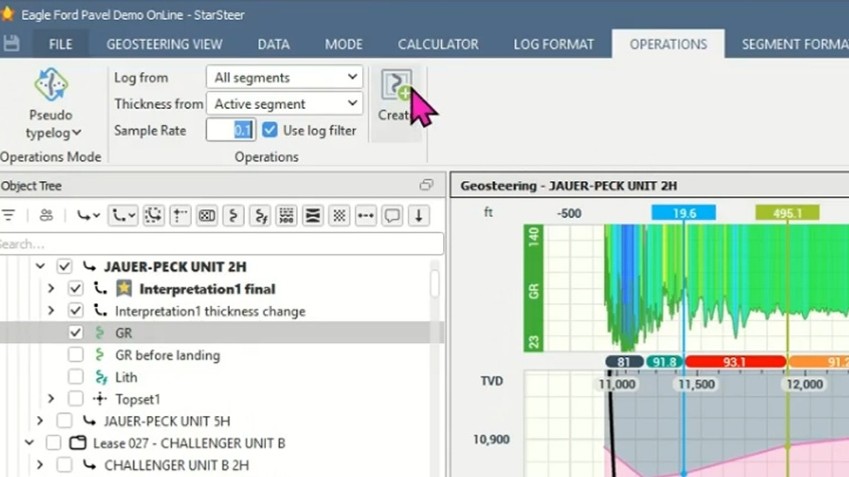
1. Select the log you want to convert (gamma ray, typically; multiple logs can be selected at once)
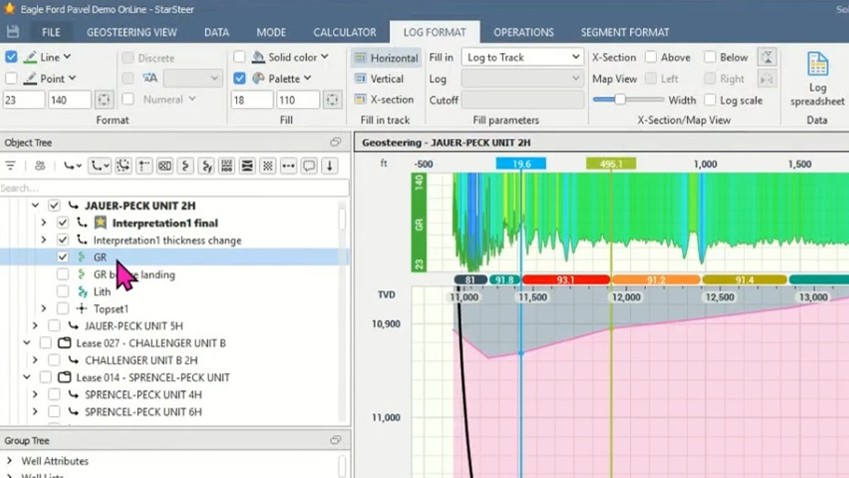
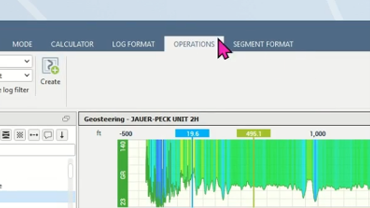
2. Open your Operations menu.
3. Choose Pseudo Typelog.
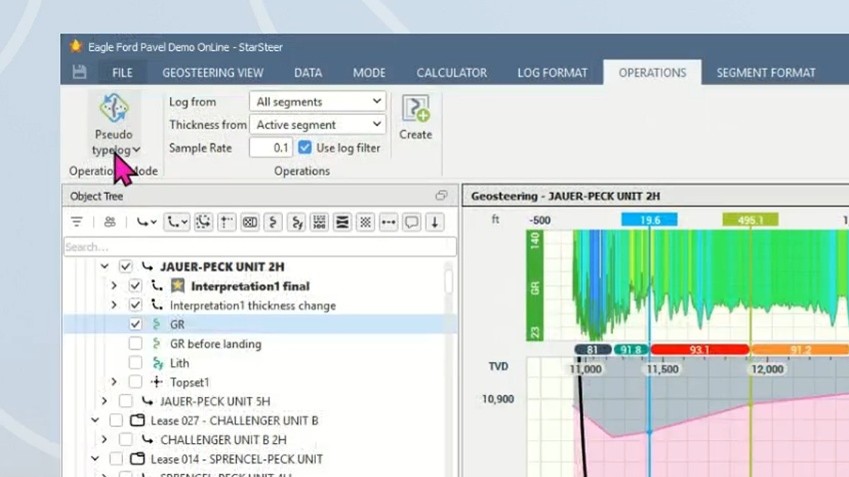
4. Set your three key options, described below.
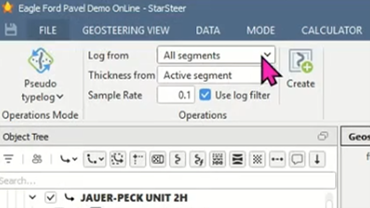
5. Click Create
Note: The well's XY position is irrelevant once this runs. What matters is the topset, since that's what the next leg will correlate against.
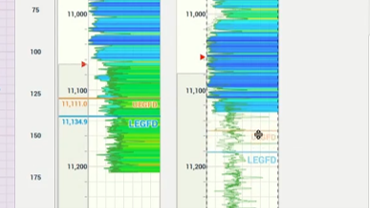
The payoff shows up in two places. On the log track, the top of the formation matches the original lateral point for point, then resolves into a single averaged trace exactly where the raw log overlapped itself. On the cross section, the log correctly extends past the landing point to the true base of the formation.
Limiting the Source With Displayed Segments
Not every foot of a lateral deserves equal trust. When well control is solid through the landing but the interpretation gets shakier toward the heel, use this approach:
- Switch your Log From setting to Displayed Segments.
- Select only the segments worth trusting.
- Use Hide After (under Mode) to hide everything past your last trusted segment in one click, rather than hiding segments one by one.
- Create the pseudo typewell. It stops exactly at the last segment you selected.
Handling a Formation Thickness Mismatch
When a lateral is drilled far enough from the original typewell, formation thickness can change. Two ways to force a match exist: adjust bed dip, which is faster but often doesn't reflect the actual geology, or use the Thickness Change Tool, which is slower but geologically defensible.
Note: ROGII covers the Thickness Change Tool correlation method in a separate webinar and knowledge base page.
As of StarSteer 25.2, the pseudo type log stretches and squeezes correctly to match real proportional thickness, even across multiple typewells with different thicknesses linked into the same project.
The Setting That Can't Be Skipped: Auto Typewell Shift
Correlating in TVD Space
For correlating two legs directly in TVD, use the Correlation Panel:
- Open your Correlation Panel.
- Switch the scale track's domain to TVD.
- Use the Ghost tool (right-click the track) to project a log and preview a top's position.
- Enter Well Correlation Mode.
- Double-click the ghosted position to convert it into a real top.
Note: Double-clicking does nothing until step 4 is done. That's a deliberate guardrail against accidental tops, not a bug.
After It's Built
A pseudo typewell needs no special handling once created. Right-click to link it to the new lateral, then correlate segments exactly as with any regular vertical offset well.
Watch the Full Webinar
This workflow is covered in more depth, including live Q&A in ROGII University's webinar on pseudo typewell referencing, presented by Pavel Dorofeev, Technical Support Team Lead at ROGII.
- Watch the recording: ROGII University
- Short on time? Check out the Supercut on YouTube
- Discuss a specific pad's correlation: support@rogii.com


