

StarSteer 2026.1: The “Quality of Life” Update Your Workflow Has Been Waiting For
If you’ve ever spent forty minutes perfectly formatting a correlation panel only to accidentally close the window, or worse, made a grid edit you immediately regretted then this update is for you.
We recently sat down for our StarSteer 2026.1 webinar, and the energy was electric. Why? Because this release isn’t just about adding "more stuff." It’s about Quality of Life. We’re tackling the friction in your daily workflow, so every click is productive.
Here’s a look at the highlights that are getting geologists talking.
1. The "Safety Net" You’ve Been Waiting For
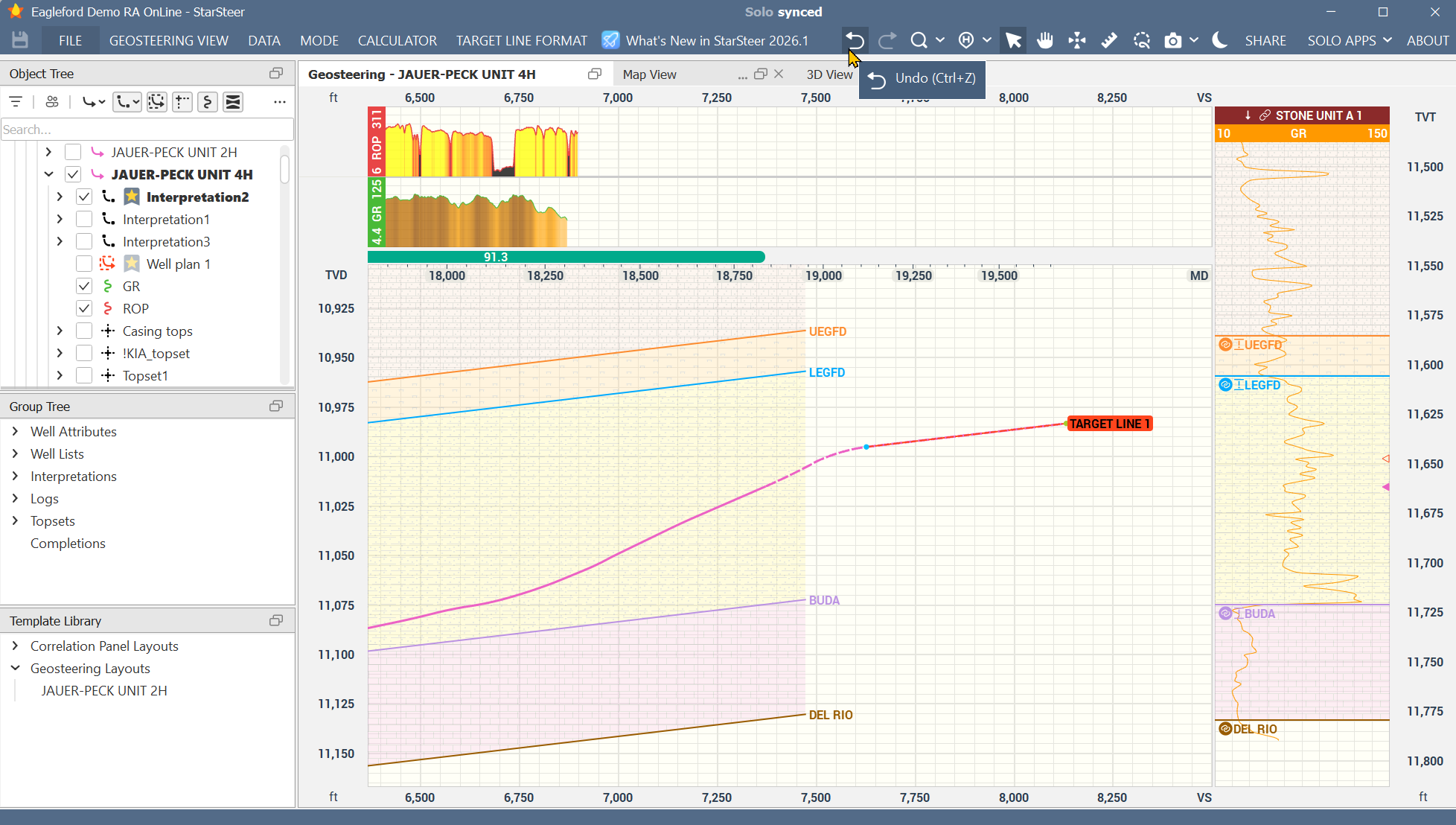
It’s official: the Comprehensive Undo/Redo button has arrived. Whether you’re tweaking a target line, adjusting a polygon, creating sticks, or modifying a grid, you now have the freedom to experiment without the fear of a "point of no return." In our live poll, this was a clear fan favorite. It’s simple, it’s powerful, and it’s going to save a lot of headaches.
2. Collaboration Without the Clutter
We know that Geosteering is a team sport. But until now, sharing your "vision" with a colleague usually meant exporting files or overwriting settings.
- Profiles: You can open a teammates entire workspace—every window, every layout—by saving then opening their profile.
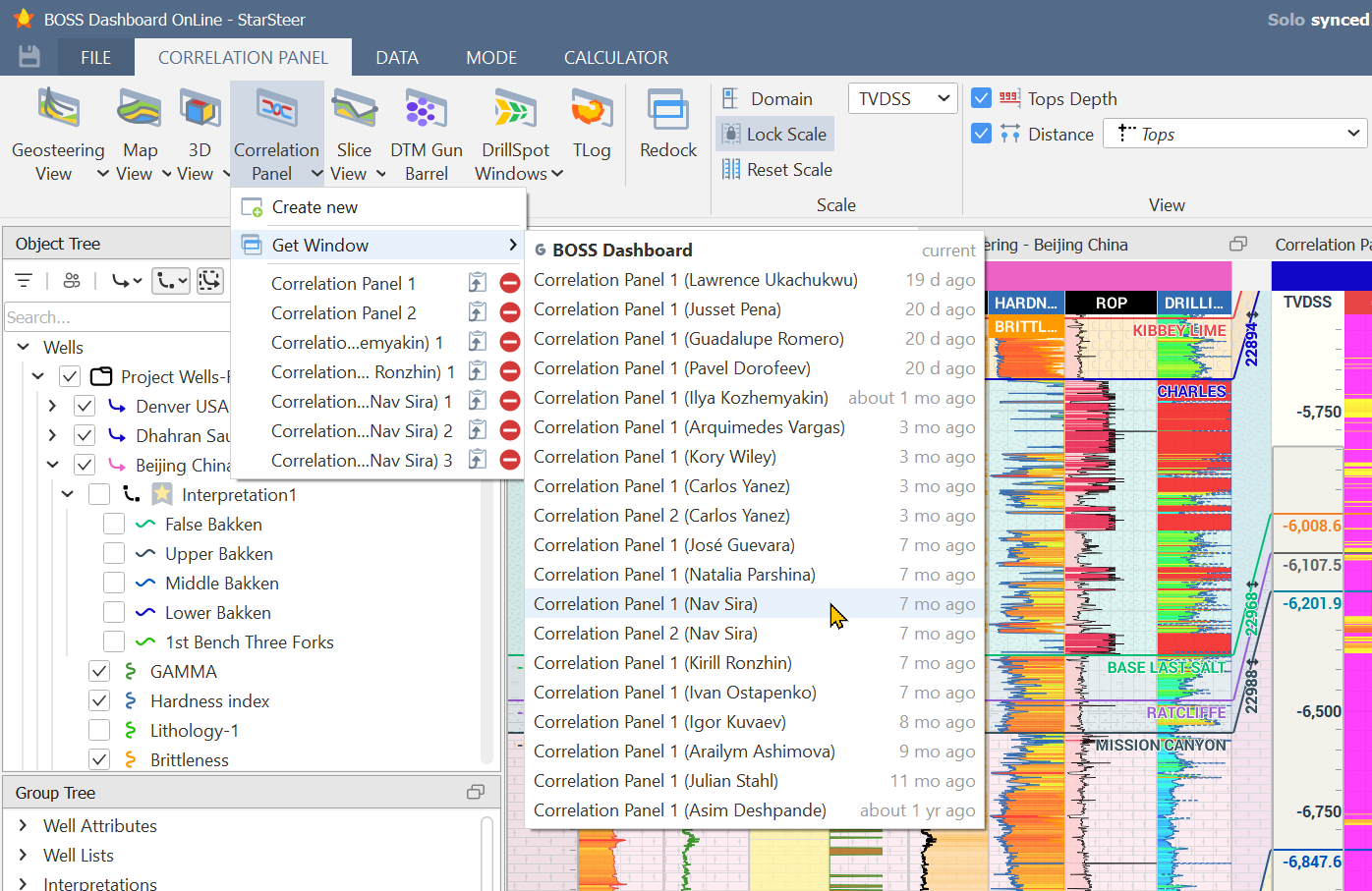
- "Get Window": See a beautiful map or correlation panel a colleague created? Don’t recreate it. Just "grab" that specific window into your own project. It’s not just a window, it’s a portal into collaboration.
3. Mapping & Planning: The Big Picture
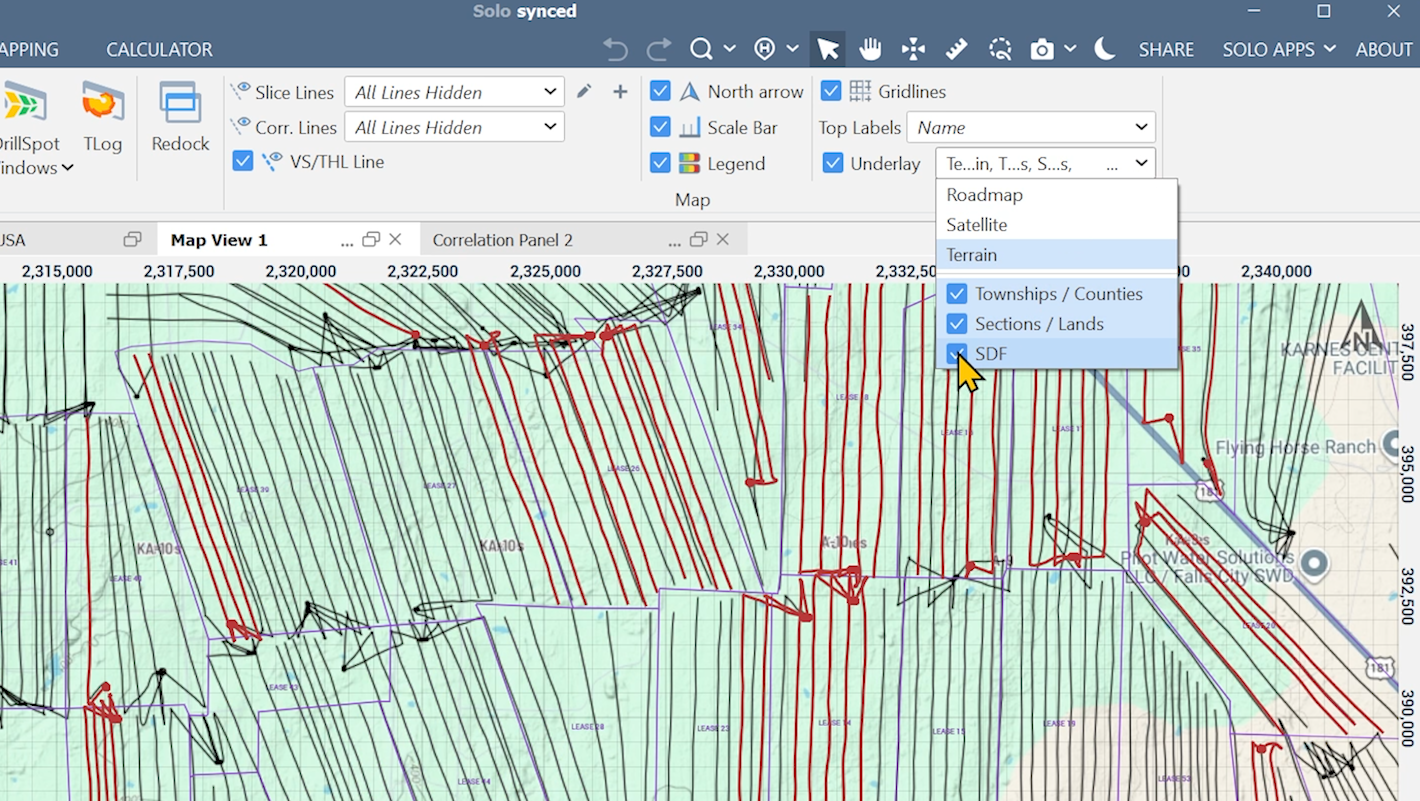
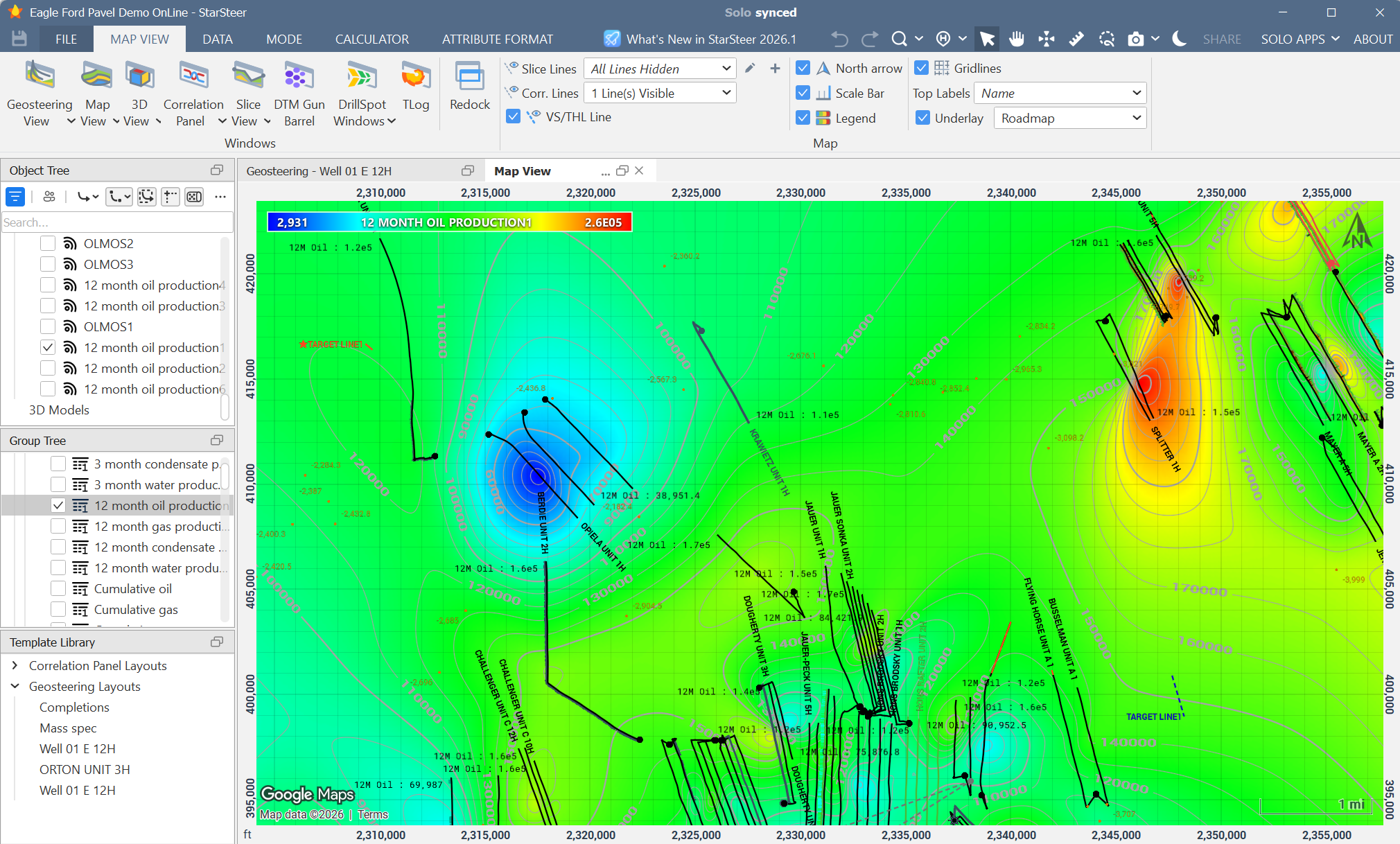
We’ve brought the outside world into StarSteer. With the new Maps Underlay, you can see Google Maps layers complete with townships and sections. We’re also excited to integrate Solo Data Factory into StarSteer so you can see existing public wells directly on your map while you plan within a region.
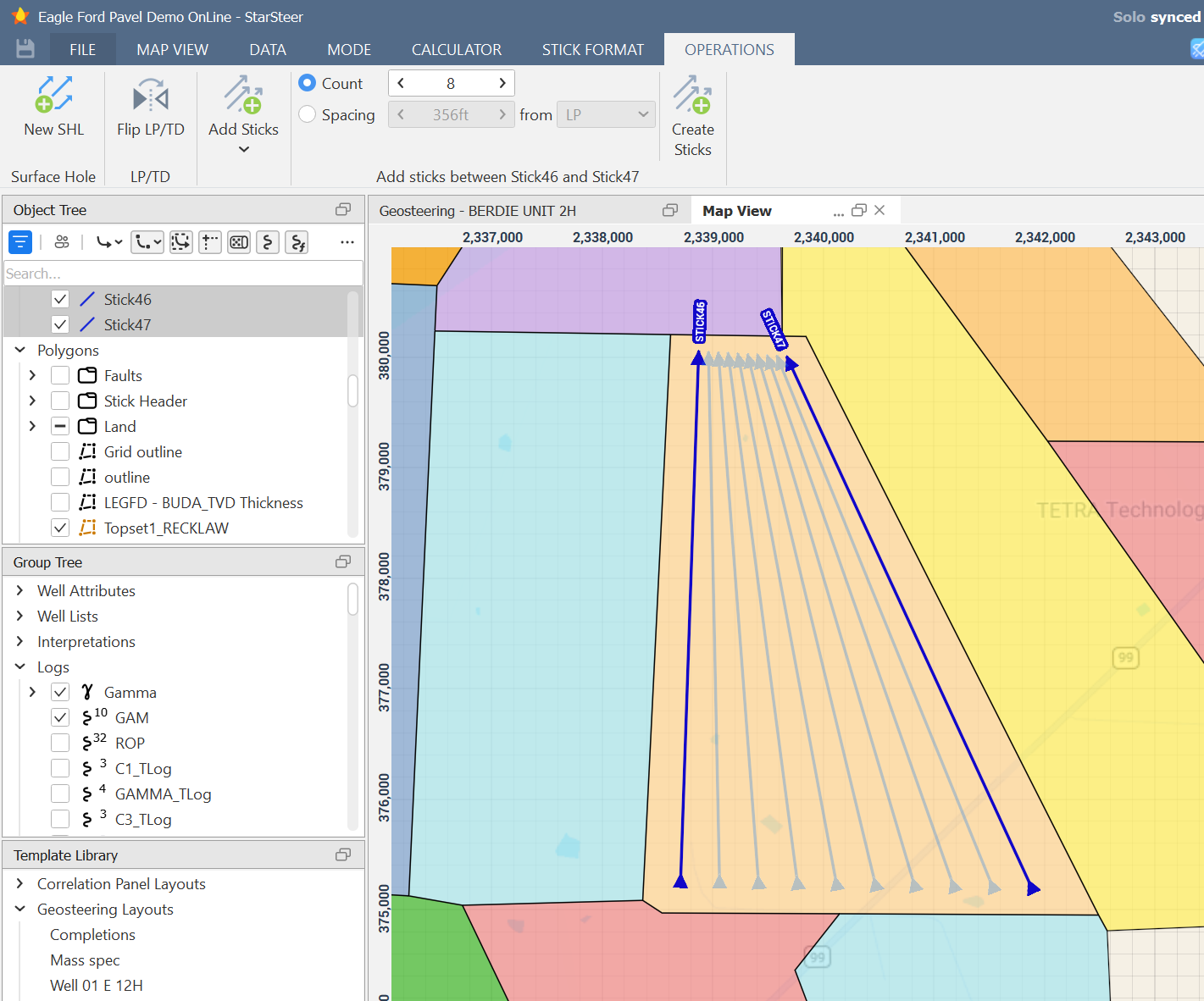
- Automated Planning: Need to plan a complex fishbone or interpolate ten sticks within a polygon? We’ve added operations to handle the geometry for you.
- Visual Completions: You can now create and edit completion stages directly in the map or cross-section view. If you see a potential "screen out" area, just click and drag to adjust your stages. It’s intuitive, visual, and fast.
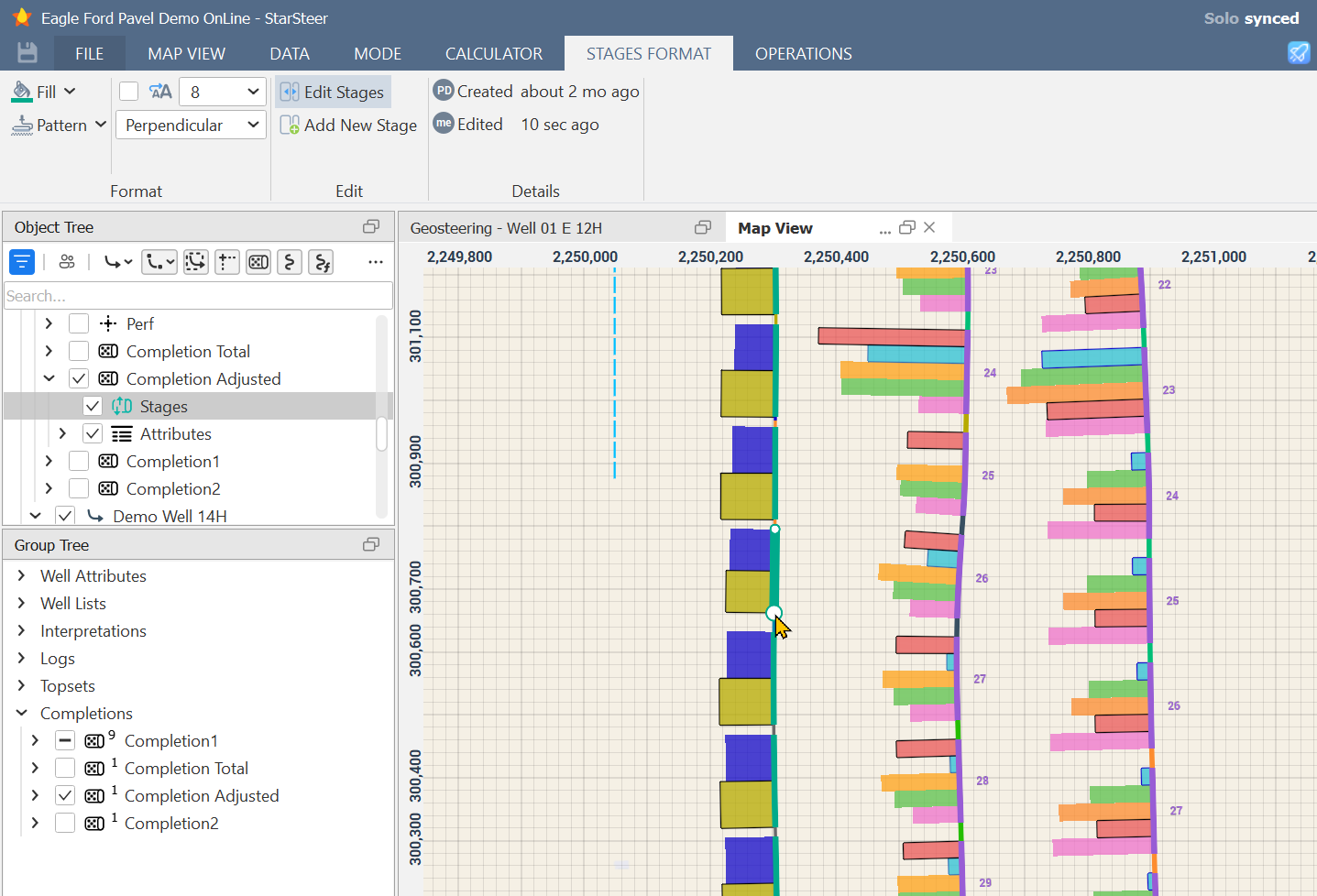
4. Data Power-Ups (For the Geeks and the Greats)
Whether you love spreadsheets or live in Python, 2026.1 has something for you:
- Well Attributes: Import production data or custom status codes. Display them in map view and the correlation panel. You can even turn them into grids with a few clicks.
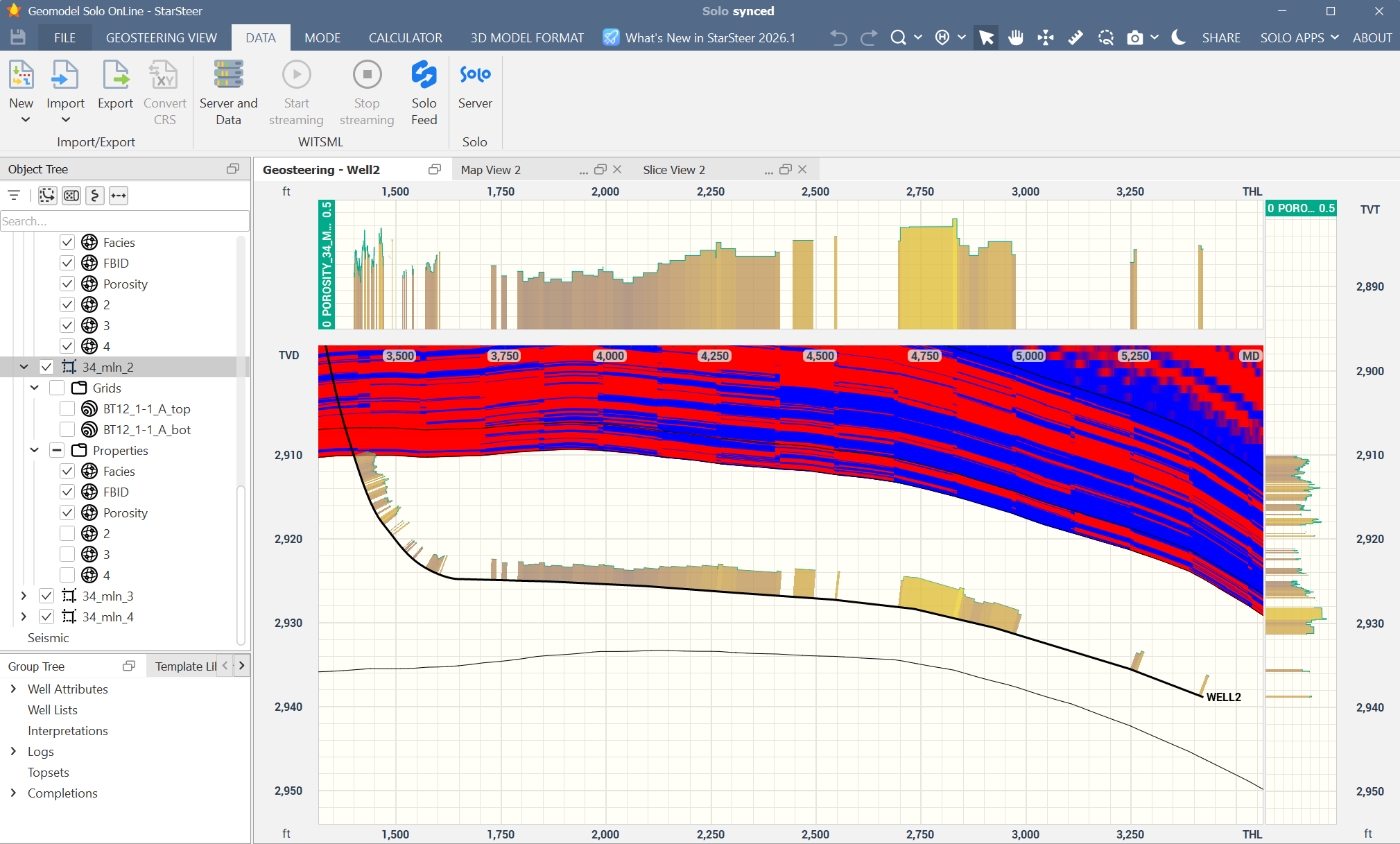
- 3D to 1D: Have a high-res 3D porosity grid? You can now extract that data as a log along any wellbore with a couple of clicks.
- Python API: For our automation enthusiasts, the Python library now installs automatically with StarSteer, giving you instant access to multi-leg sticks and trajectory projections.
The Verdict
As our technical lead Pavel put it during the demo: "Minimize the clicks, simplify the workflow."
The 2026.1 release is all about removing the "struggle" from the software so the science can take center stage. If you missed the live session, you can catch the recording or, better yet, download the latest version and try the Undo button for yourself (it’s oddly satisfying).
Want to see more?
Watch the webinar where Pavel demonstrates these exciting new features and more: https://watch.getcontrast.io/watch/rogii-university-webinar-starsteer-2026-1
We released a lot more features than this in StarSteer 2026.1! Check out everything that’s new here: https://kb.solo.cloud/StarSteer+What+s+new
Ready to dive in? Download StarSteer 2026.1 here: https://kb.solo.cloud/StarSteer
You can also watch the supercut version of the webinar which covers 23 features in under 10 minutes


