New features across ROGII Solo Cloud Product Suite
StarLite Web
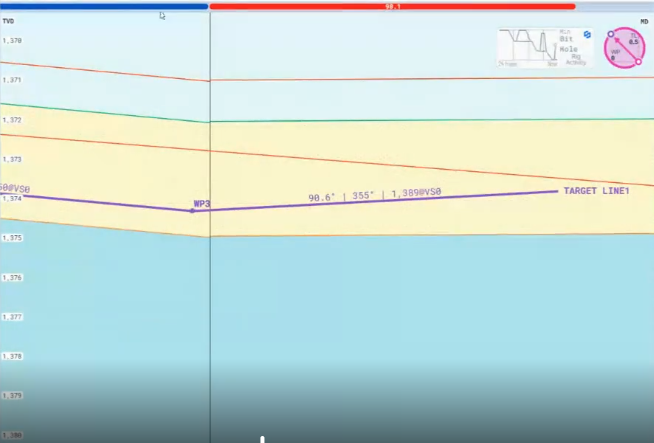
Target Line Label
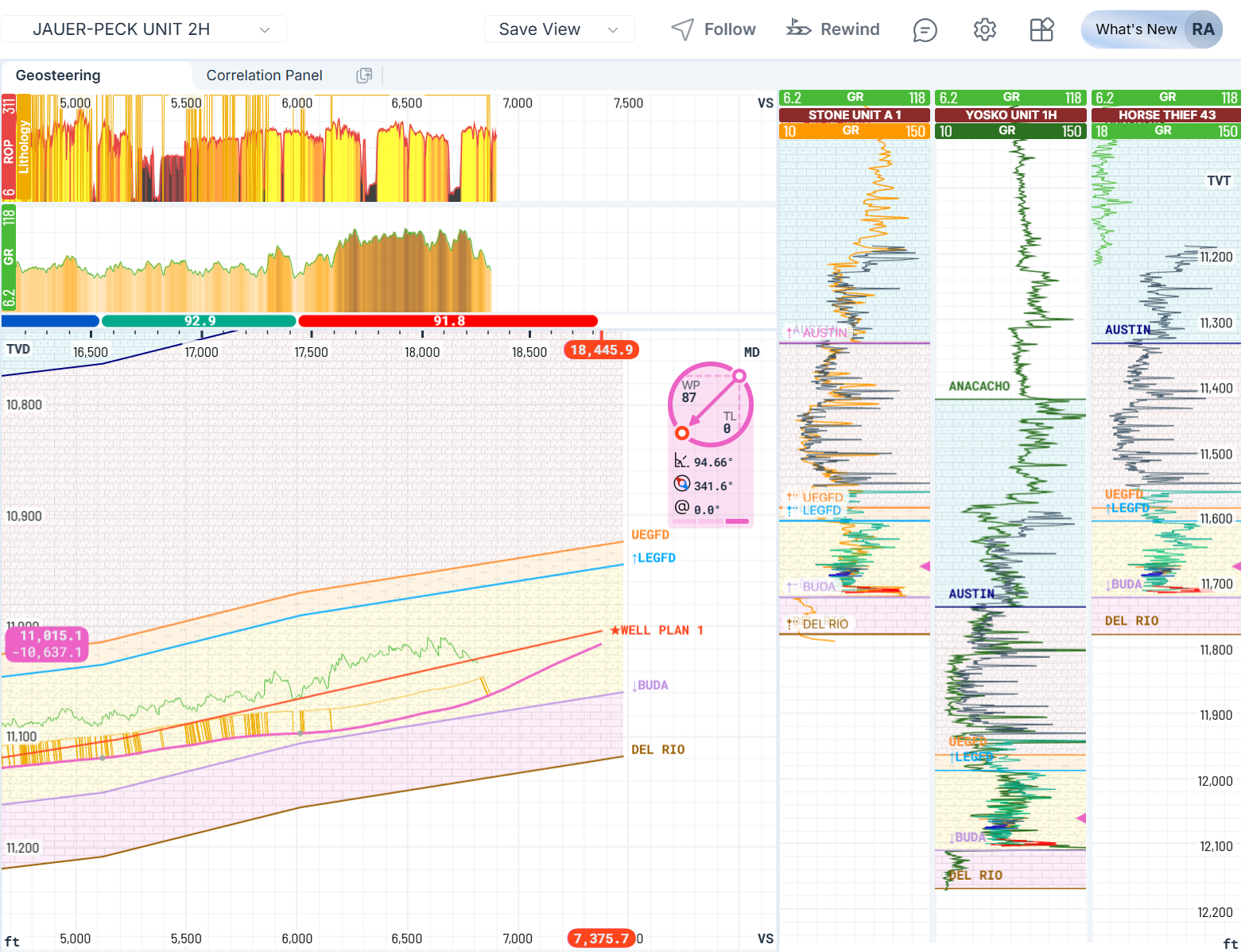
When a Target Line is active in StarLite Web, a label is drawn directly above that line in the Geosteering cross‑section containing the key parameters, including Inclination, Azimuth and TVD@VS0
Correlation Panel
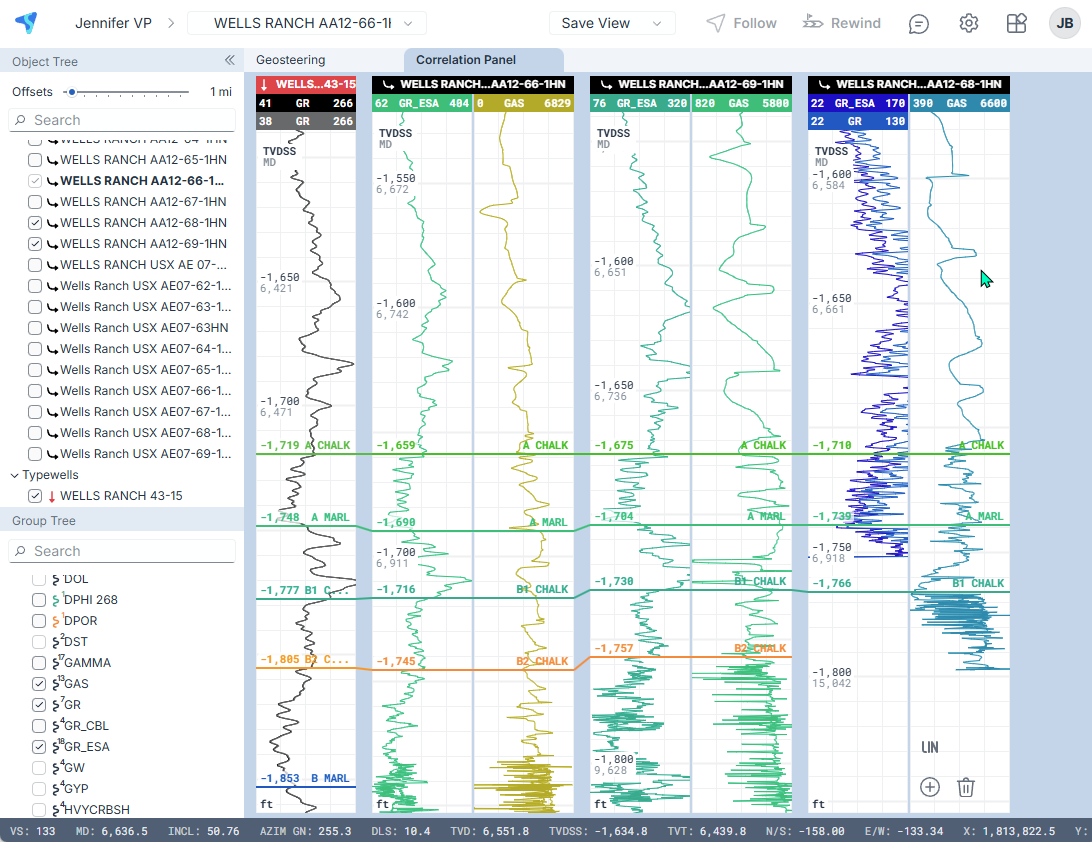
Quickly visualize and compare well logs across multiple wells using StarLite Web.
Bit on Trajectory
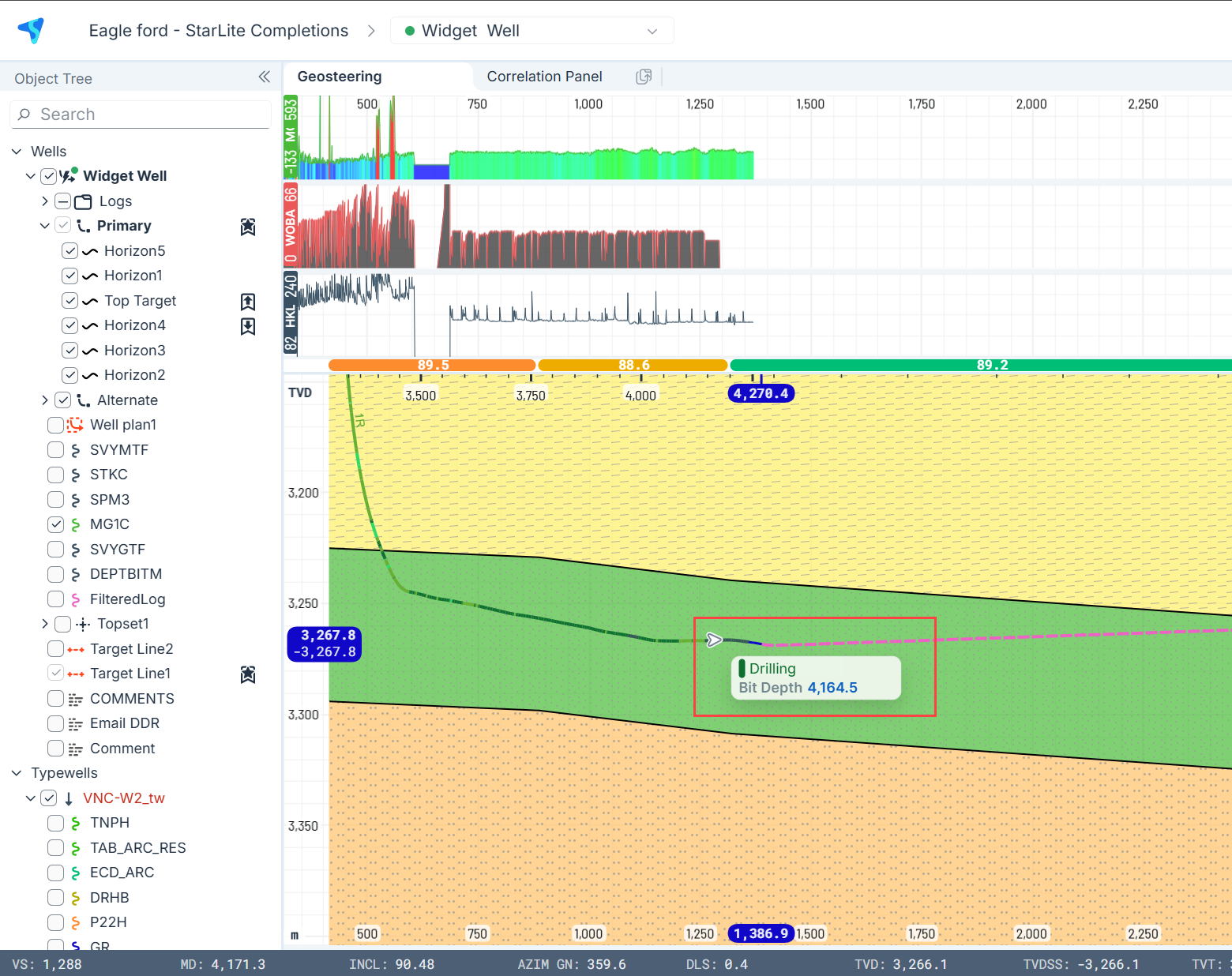
View the real-time bit position directly on the well trajectory. Instantly know the bit depth and drilling stage with the hover of a mouse.
Multi-Typewell Geosteering view
Typewell data is displayed with actual thicknesses on multiple tracks, just like StarSteer.
StarLite iOS/Android
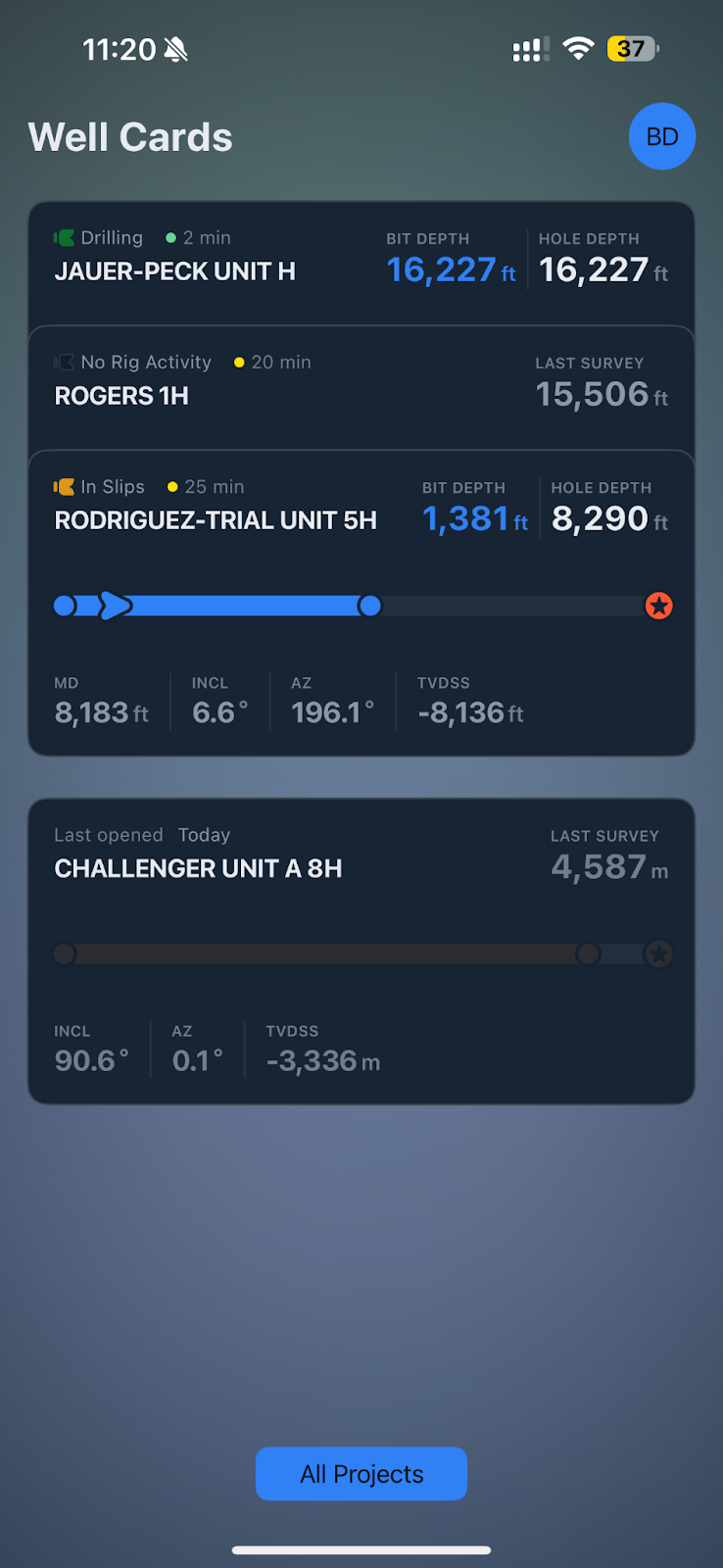
Well Cards on iOS
View active and recent wells with key metrics. Select a card to see drilling progress, zone statistics, and depth vs. days, with direct access to geosteering.
Rig Activity Track
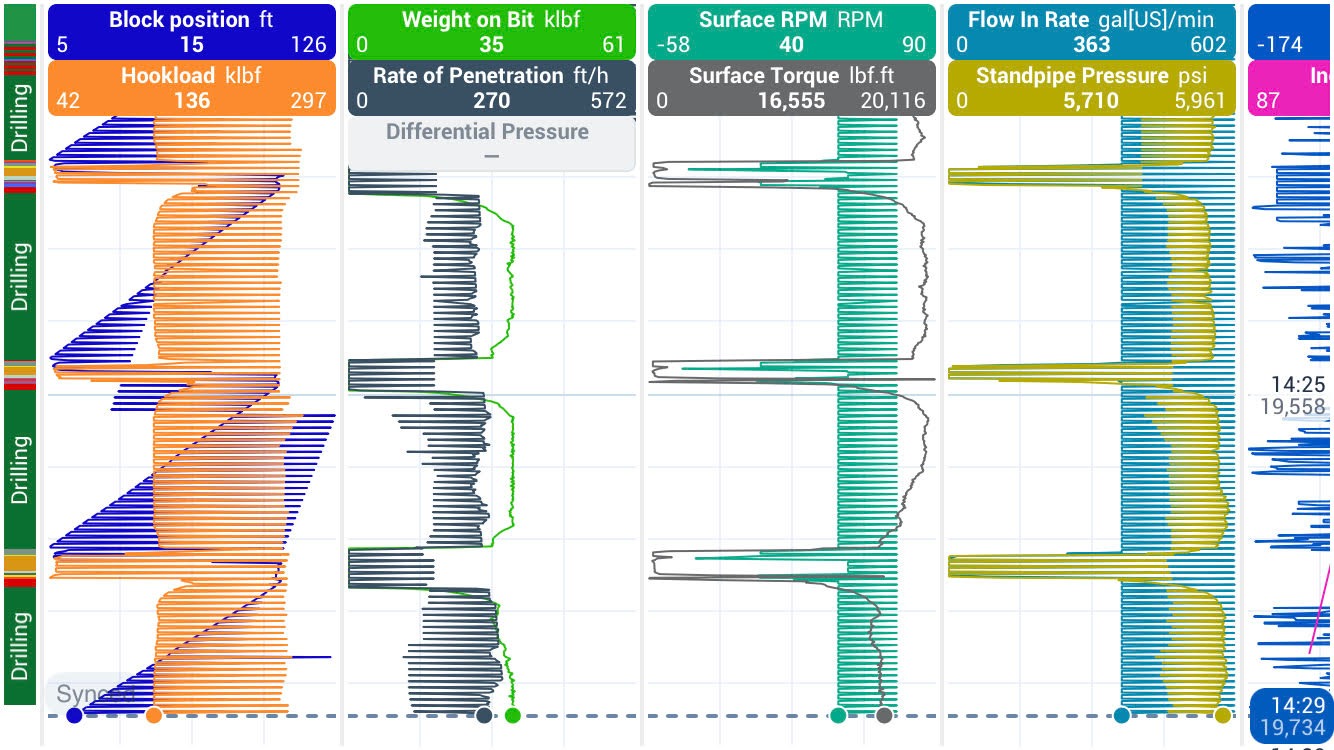
Monitor rig activity track with a linear widget
Gun Barrel Pie Charts
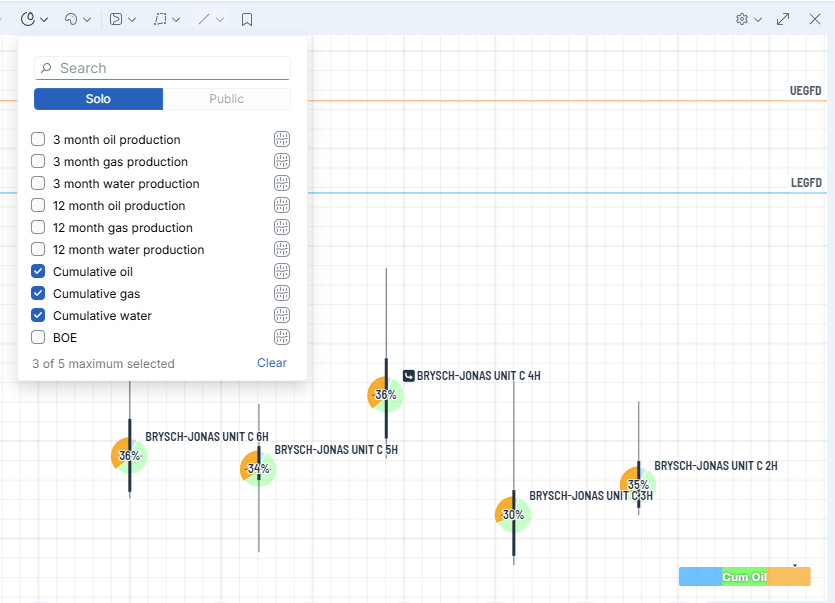
Now you can compare your Well Attributes as ratios using the new Pie Charts in your Gun Barrel Plot.
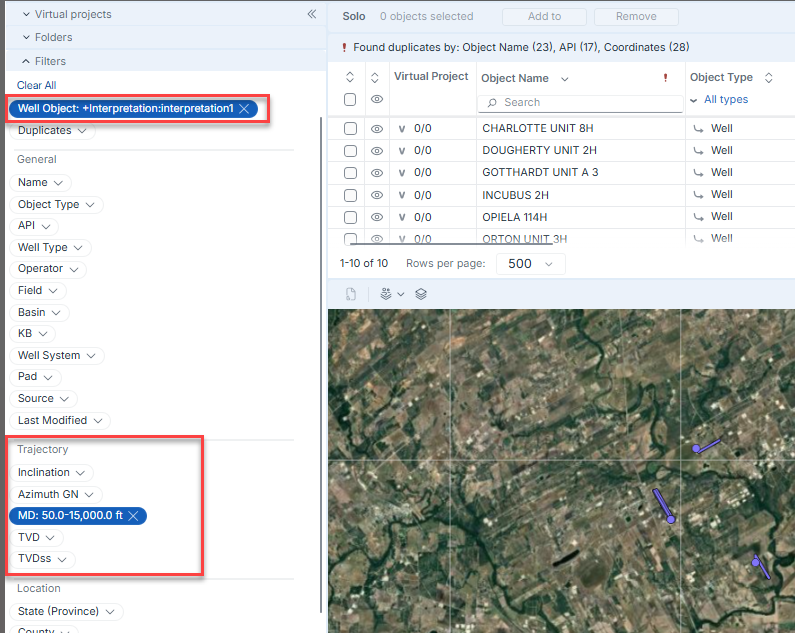
New Filters in Data Manager
Filter data by specific well objects, like starred interpretation and trajectory parameters.
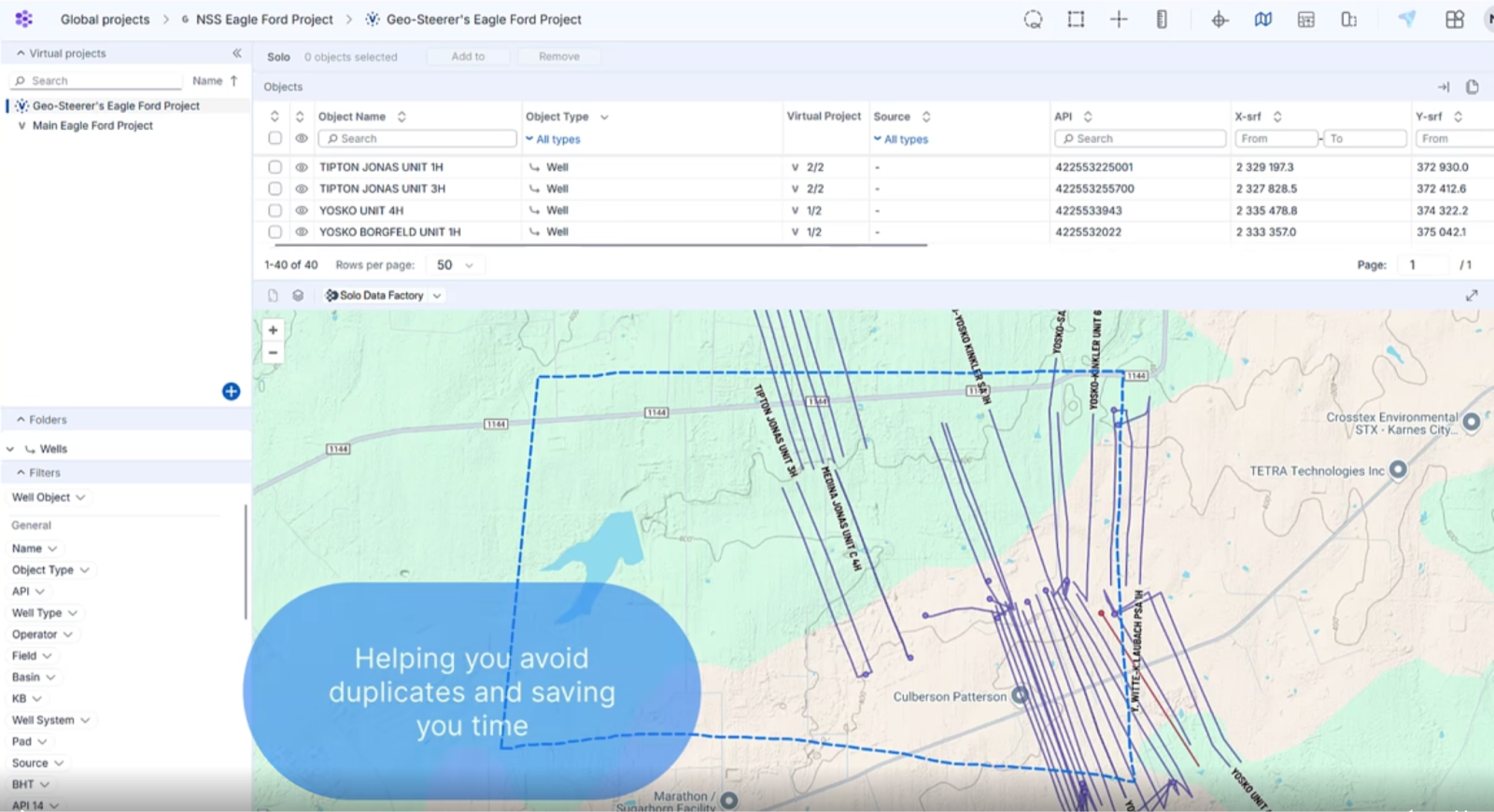
Auto update VP by area
Users can now define an auto-update area for a Virtual Project. The system will automatically include any new wells created within this defined area in either Global Projects or Virtual Projects, helping to prevent duplicate wells
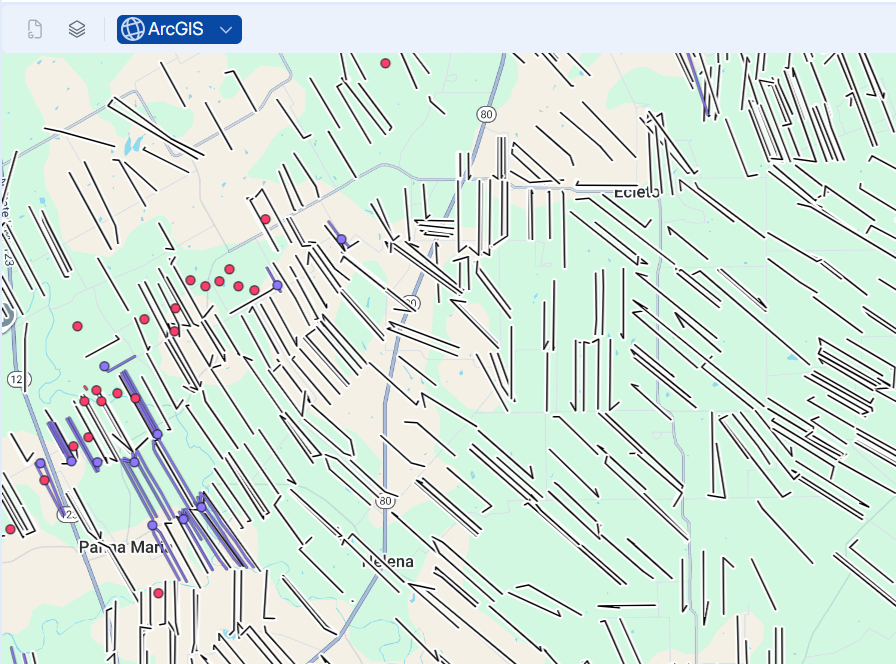
ArcGIS Connector
You can now connect to an ArcGIS server and display layers on Data Manager's Map View. Data objects on the layers can be imported into Solo Projects, improving your well planning workflows and more!
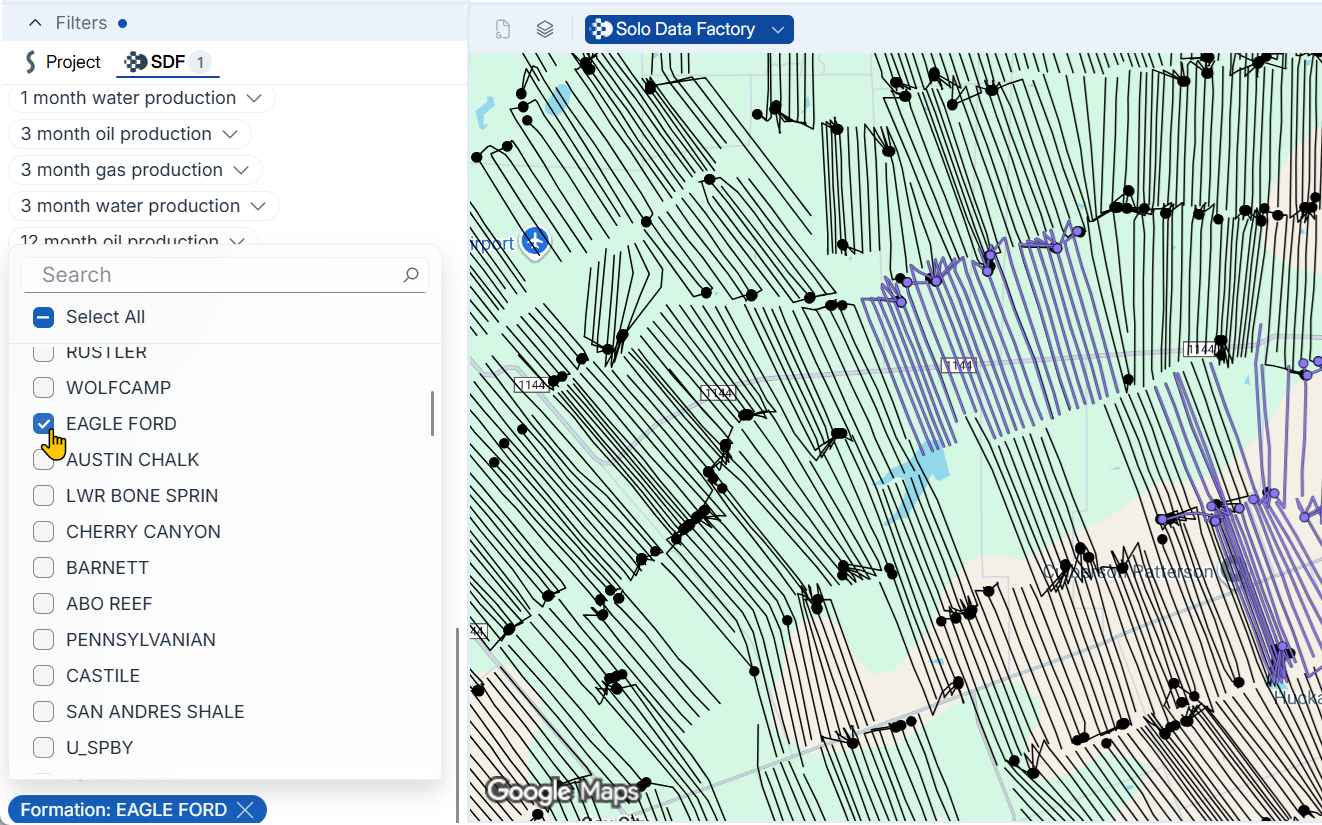
SDF
You can now focus on public data relevant to your workflows with text, location, well status, and date range filters.
Solo Feed
NOV Integration
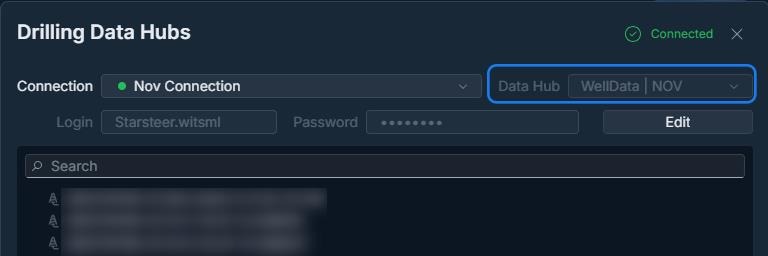
Now you can connect directly to NOV through Drilling Datahub and stream surveys instantly.
New Trace Mapping
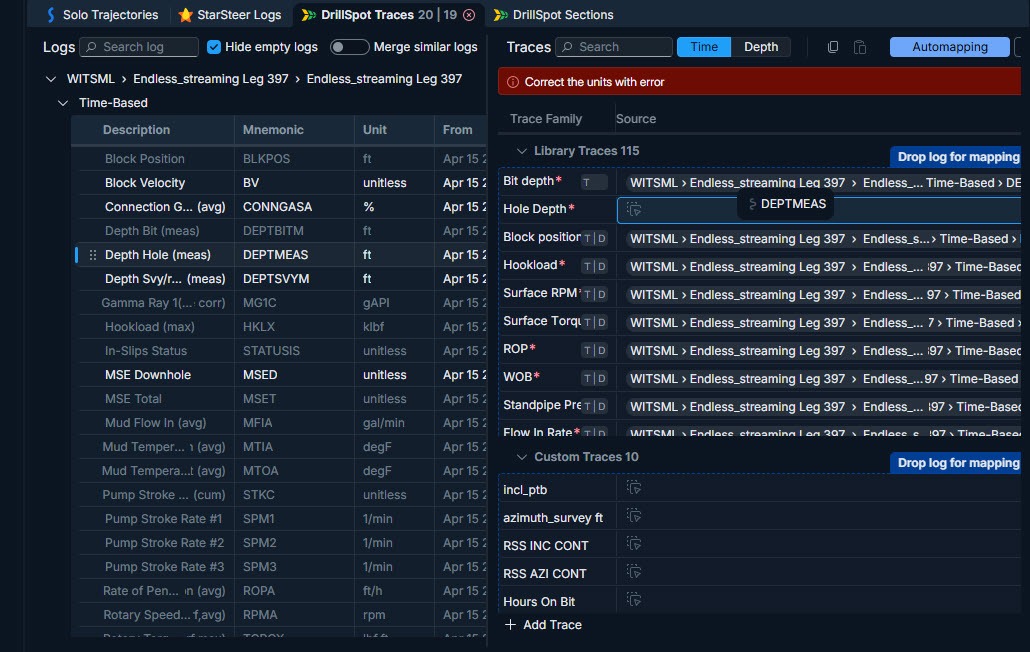
A single interface for trace mapping that supports drag-and-drop actions, and error alerting.
DrillSpot
Filters in Days vs Depth
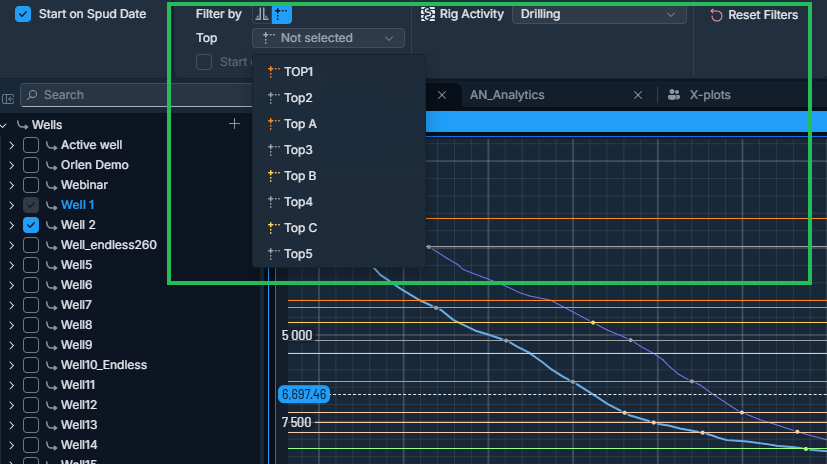
Now filter data by hole section, formation tops or rig activity
X-Plot Widget
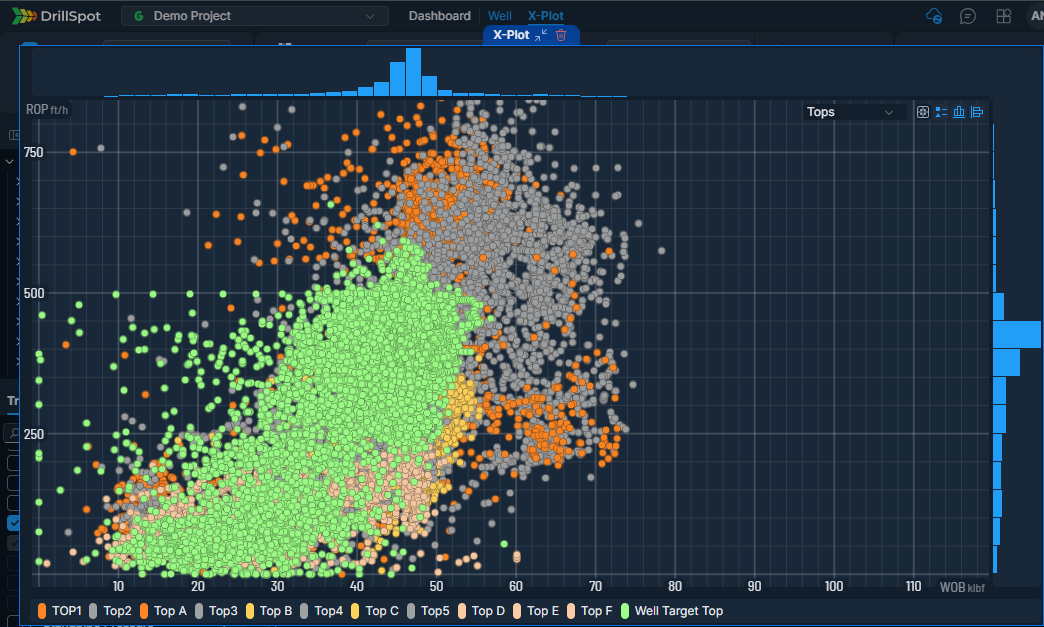
Create plots with real-time drilling data to analyze performance in different drilling modes and formations
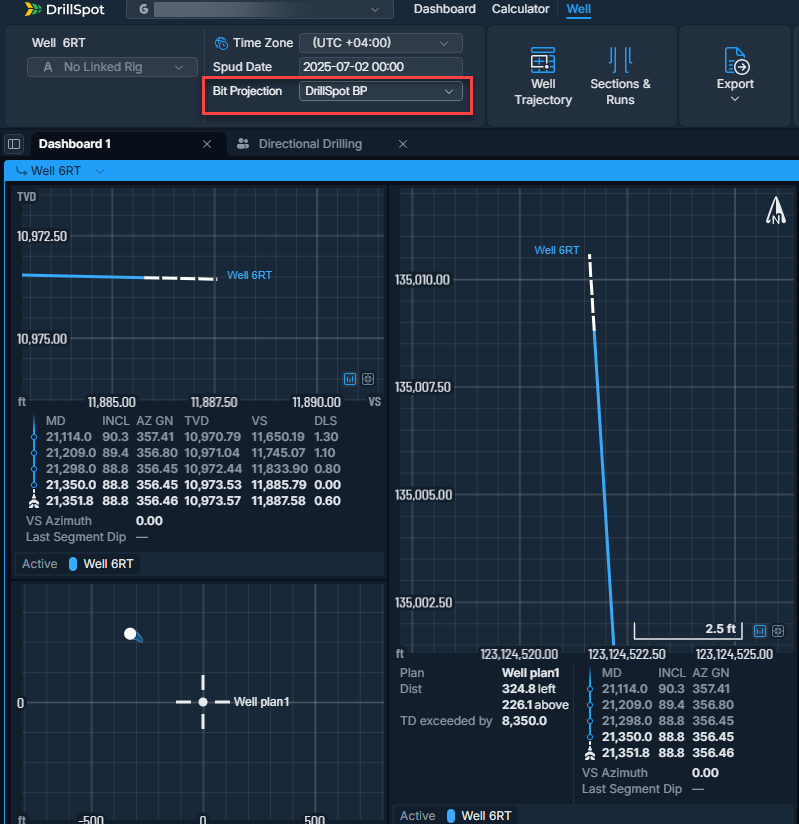
Real-time Bit Projection in DrillSpot
Monitor actual rotary tendencies in real-time with bit projection in x-section, gun barrel and map view of geo-target widget.
Numeral Alerts
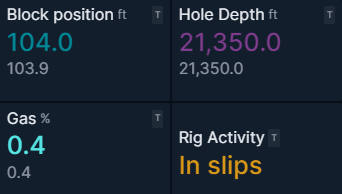
Numeral Widgets in DrillSpot can blink with set colors for High, Low, Max & Min values, enabling users to quickly identify any abnormal parameters.
Solo Cloud
Daily Drilling Report Insights from Pason
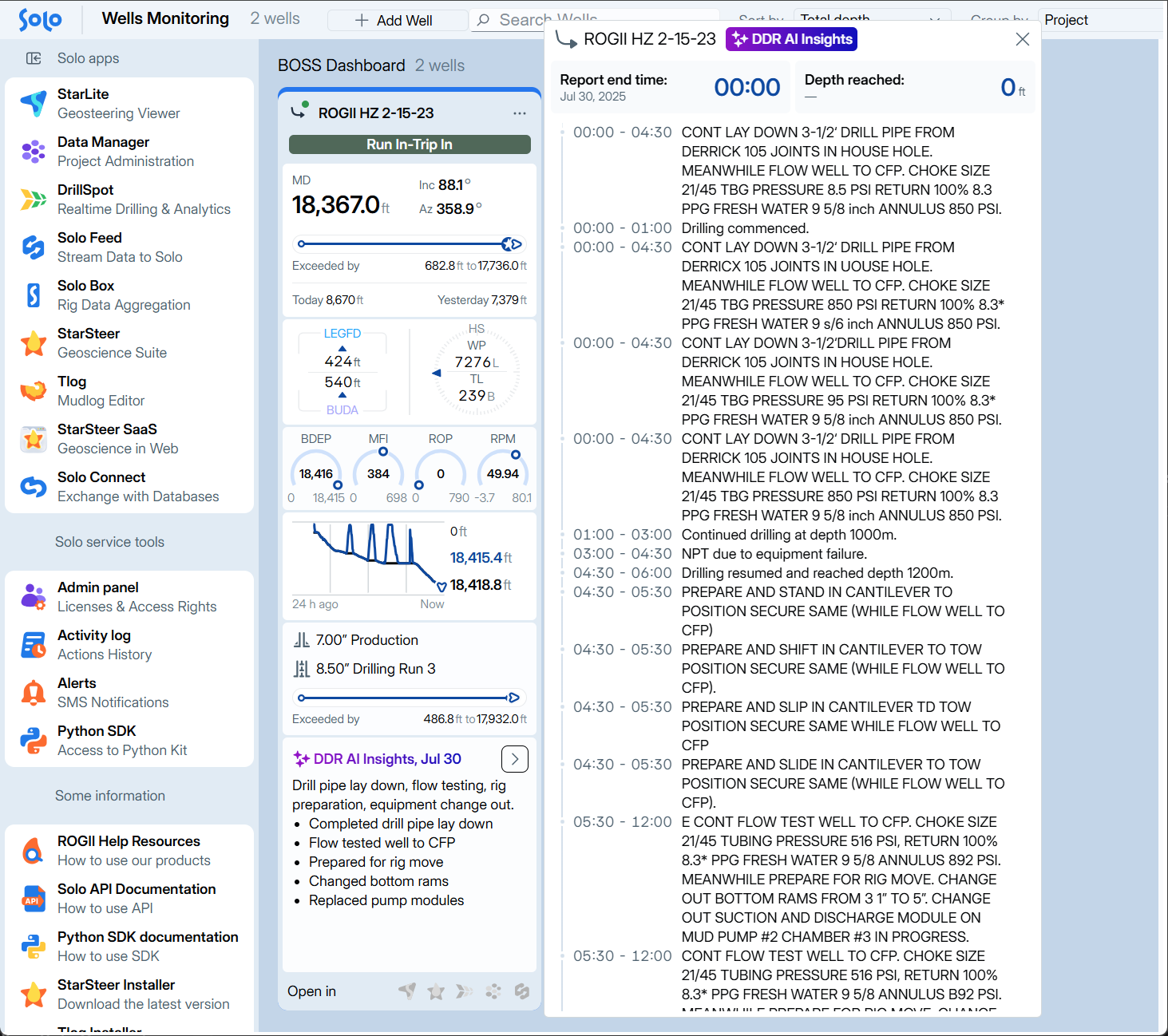
Wells connected to Pason in Solo Feed now generate DDR AI Insights in the Boss Dashboard and Drillspot.